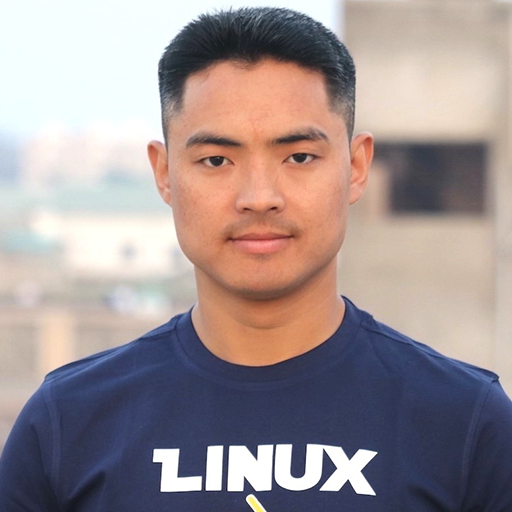
If Cloud, DevOps, or security videos feel confusing, it’s often because the base was skipped. Linux is that base,and you deserve to learn it clearly, in Nepali, with room to ask “dumb” questions.
Our goal is simple: when you finish, you should trust yourself on a terminal, understand how servers and networks behave, and feel ready for the next step,whether that’s cloud, DevOps, or cybersecurity.
Why we start here
A clear Linux course in Nepali gives you the same ground that AWS, Docker, and Kubernetes quietly assume you already have. Think of it as the Linux course Nepali learners use to stop copy-pasting commands,and the cloud course in Nepali prep that actually sticks, because you understand what’s under the hood.
You’ll know why a command works, not just what to type. That’s when tutorials stop feeling random and start connecting.
Skipping Linux feels faster at first. In reality it slows every cloud and DevOps topic. A solid base shortens the whole journey.
We’re not adding noise. Projects mirror real tasks so your hours turn into skill you can explain in an interview or at work.
Linux runs the servers, clouds, and tools behind the roles people aspire to. When your foundation is clear, these paths stop feeling “not for me” and start feeling reachable.
Every major cloud is Linux underneath. When you get this layer, dashboards and CLIs finally make sense together.
The tools and labs you’ll use expect comfort on Linux. We build that comfort step by step.
Most serious backends run on Linux. Understanding services, logs, and permissions is career leverage.
Trends change; fundamentals don’t. Linux skill pairs with almost every serious IT role.
No pressure, just proof
Three free lessons,Linux basics, install flow, and essential commands,so you can feel whether this pace and style work for you.
Teaching isn’t only slides,it’s context from real systems, real companies, and years of helping learners cross the gap from “I don’t get it” to “I can do this.”

Founder, Technology Channel
Dhanu Sir , Linux & systems depth
Honest words, not a sales script.
Founder, Technology Channel
I’ve watched brilliant people burn out because they chased shiny tools before understanding the floor they were standing on. The missing piece was almost always the same: Linux.
We built this program so you don’t have to learn alone from random videos that skip the “why.” Whether you’re new to IT or pivoting, a calm, Nepali-first foundation changes how fast everything else clicks.
Partnering with Budh Ram Gurung (Dhanu Sir),who has real depth from Red Hat,was about giving you substance, not hype. If you show up and practice, we’re here to help you carry the weight until it feels light.
“We’re not optimizing for a quick sale. We’re optimizing for the day you realize,you actually understand this.”
Structure when you want live support; flexibility when you need to catch up on your own time.
Mon, Tue, Wed , 6:30 PM - 8:00 PM
Thu, Fri , 5:00 PM - 6:00 PM
Laptop
Minimum 8GB RAM, Core i3 processor or equivalent
Operating System
Linux OS or Linux inside VM for Windows Users
Time Commitment
24 - 36 Hours (including practice)
From first terminal steps to networking and security,organized so each week supports the next. Expand any module to see topics.
Twelve-plus small builds that mirror real admin work,so your foundation isn’t theory-only. You’ll recognize these patterns in jobs and interviews.
Bash script that organizes files into folders like images/, docs/, videos/
Display hostname, kernel version, uptime, memory & disk usage
Backup directories using tar, gzip and cron automation
Script that creates users, assigns groups, sets passwords
Analyze syslog/auth.log to count login attempts & failed logins
Script that reports directories using more than 100MB
Show top 5 memory consuming processes in real-time
CLI tool using find to search files by name, size, type
Monitor CPU, memory, disk and send alerts when threshold exceeded
Script to install, update, and remove packages using apt
Single script to install packages, create users, configure firewall & SSH
Monitor network usage, open ports, and packet capture
One integrated scenario,users, permissions, services, logs, backups,so you can point to something real and say, “I built and understood this.”
Update and upgrade all system packages
Create users, groups, and manage access
Set up directory structure with proper permissions
Install and configure Nginx/Apache
Deploy and host a website on the server
Set up log monitoring and analysis
Create automated backup scripts
Schedule tasks with cron jobs
Verify network config and connectivity
Same substance; different levels of hand-holding. If you’re unsure, message us,we’ll help you choose what matches your schedule and learning style.
Full recordings when you learn best,night shift, weekends, or between classes.
One-time · Keep access to revisit anytime
Same foundation, with room to ask in the moment and stay accountable week to week.
One-time · Includes recordings + community Q&A
We keep batches smaller so questions don’t get lost in the crowd.
Every path includes the same core value